The track your Amtrak train leaves from, at 60 stations, the moment it is posted — pushed to your phone whether or not the app is open.
Built for people who ride Amtrak often enough to be annoyed that no app did this properly. Every screen below is a real one.
Track and platform numbers at 60 stations — the Northeast Corridor from Washington to Providence, Connecticut, the Hudson Valley, Southern California and more across the Southeast and the West. At most of them the track is there hours ahead. At New York Penn, where tracks go up at boarding, it appears the second it is assigned.
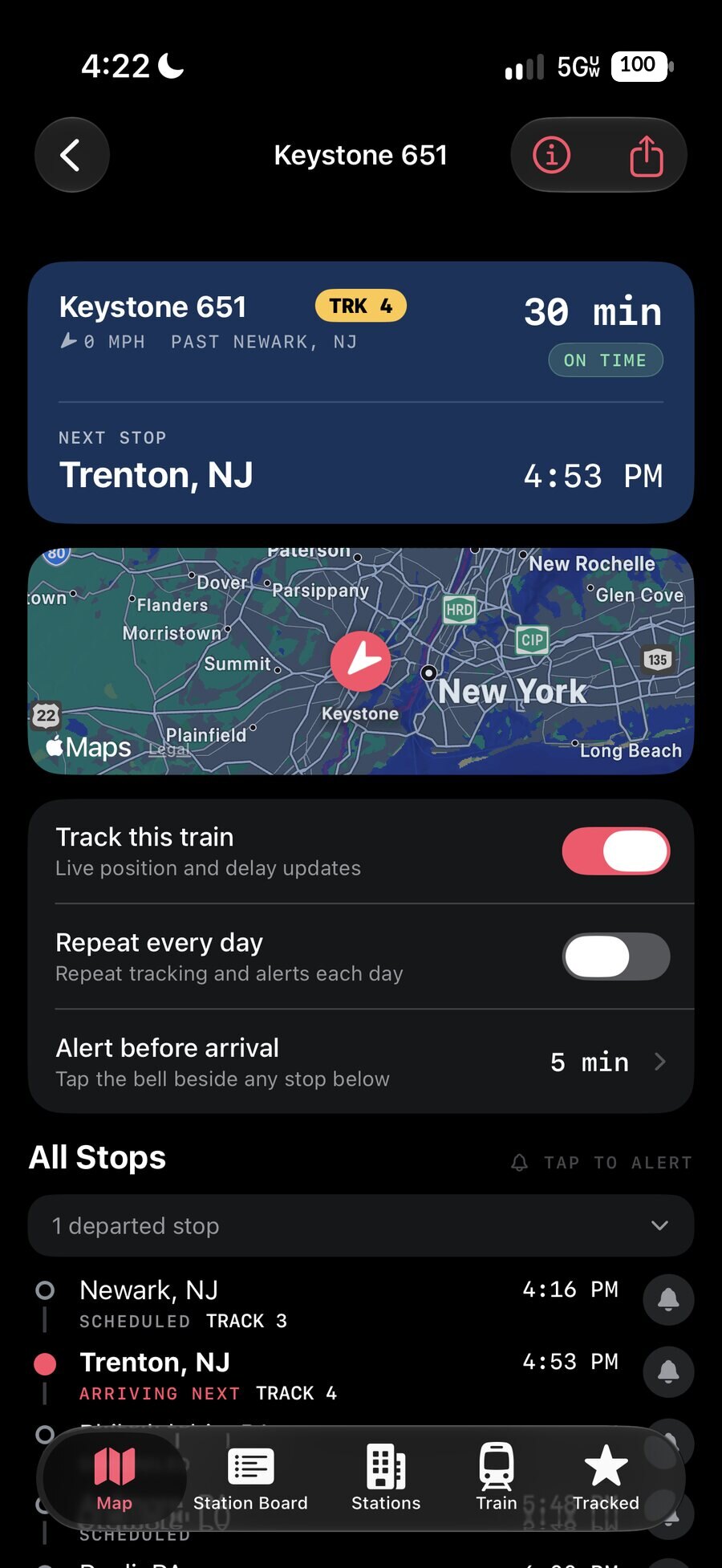
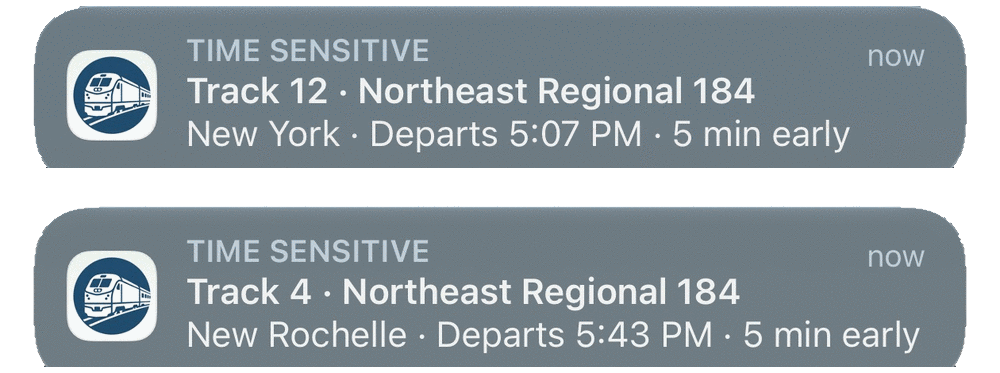
Arm a bell on the stop you are standing in. When Amtrak posts the track, TrackWatch’s own service notices within a minute and sends you the number — with the app closed and your phone locked, in your pocket, on a concourse where you were about to go and stare at the board.
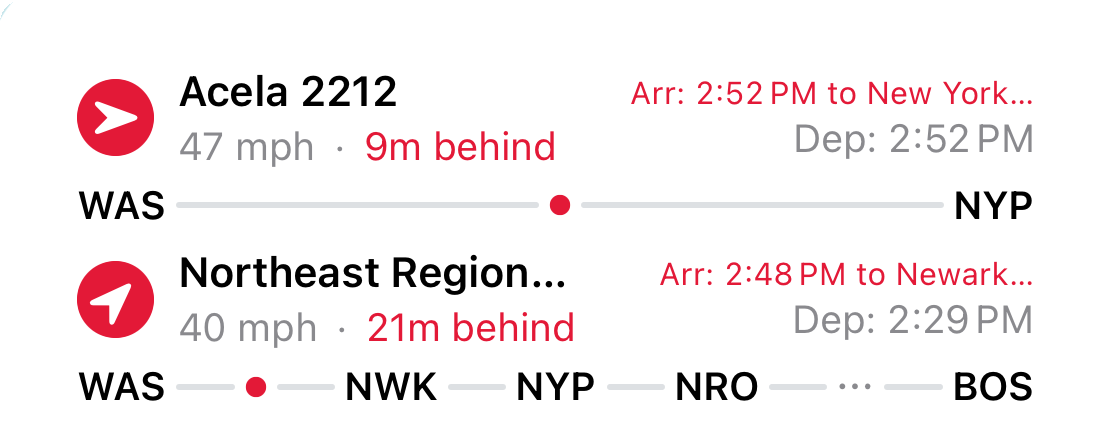
Origin and destination up top, station codes strung along the progress line, a dot marking exactly where your train is. It keeps up while your phone is locked, because the update is pushed to it — and the countdown to your next stop moves with the estimate, not with a guess.
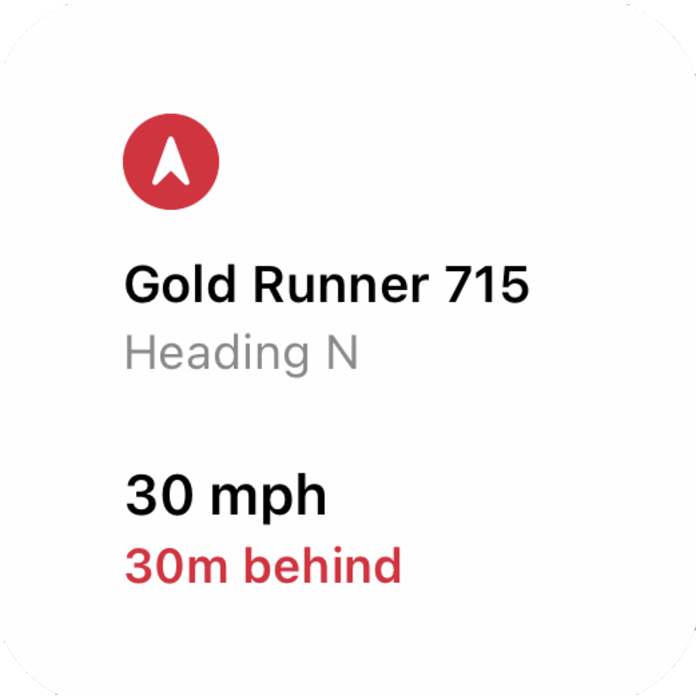
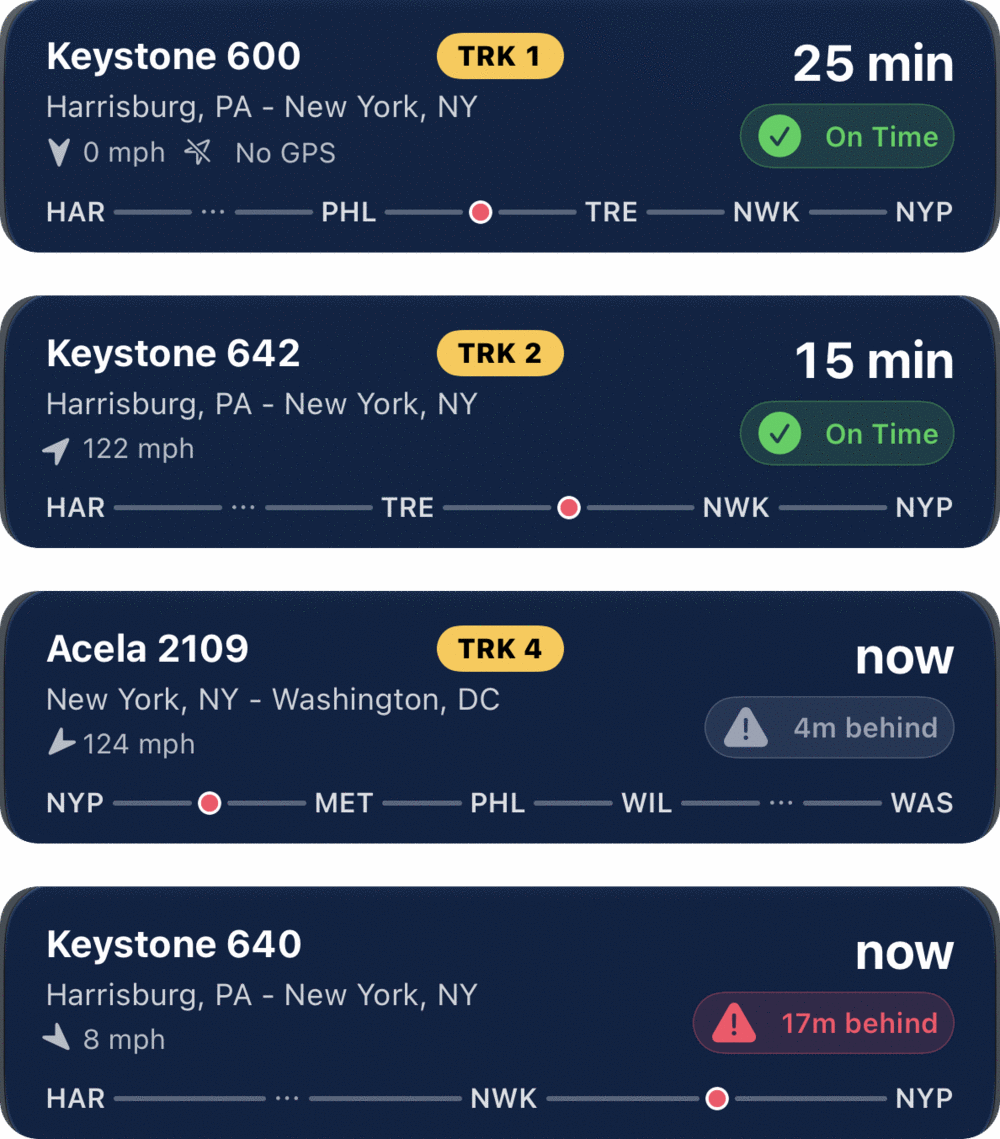
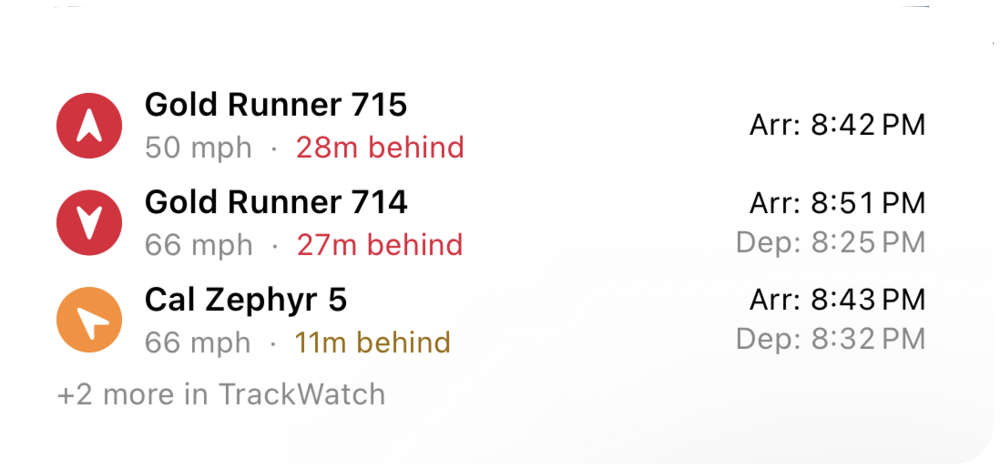
The same route-line design at three sizes. Large stacks four trains, each with its delay, its track and the line it is running along. Medium takes the top of that list. Small answers one question from across the room: which train, which way, how fast, how late.
Tap the bell beside any stop on the route — one, or several — and set how much warning you want. Alerts are scheduled ahead, so they arrive with the app closed and the phone locked, and they carry the track. Repeat Track follows the same train every day without you asking again.
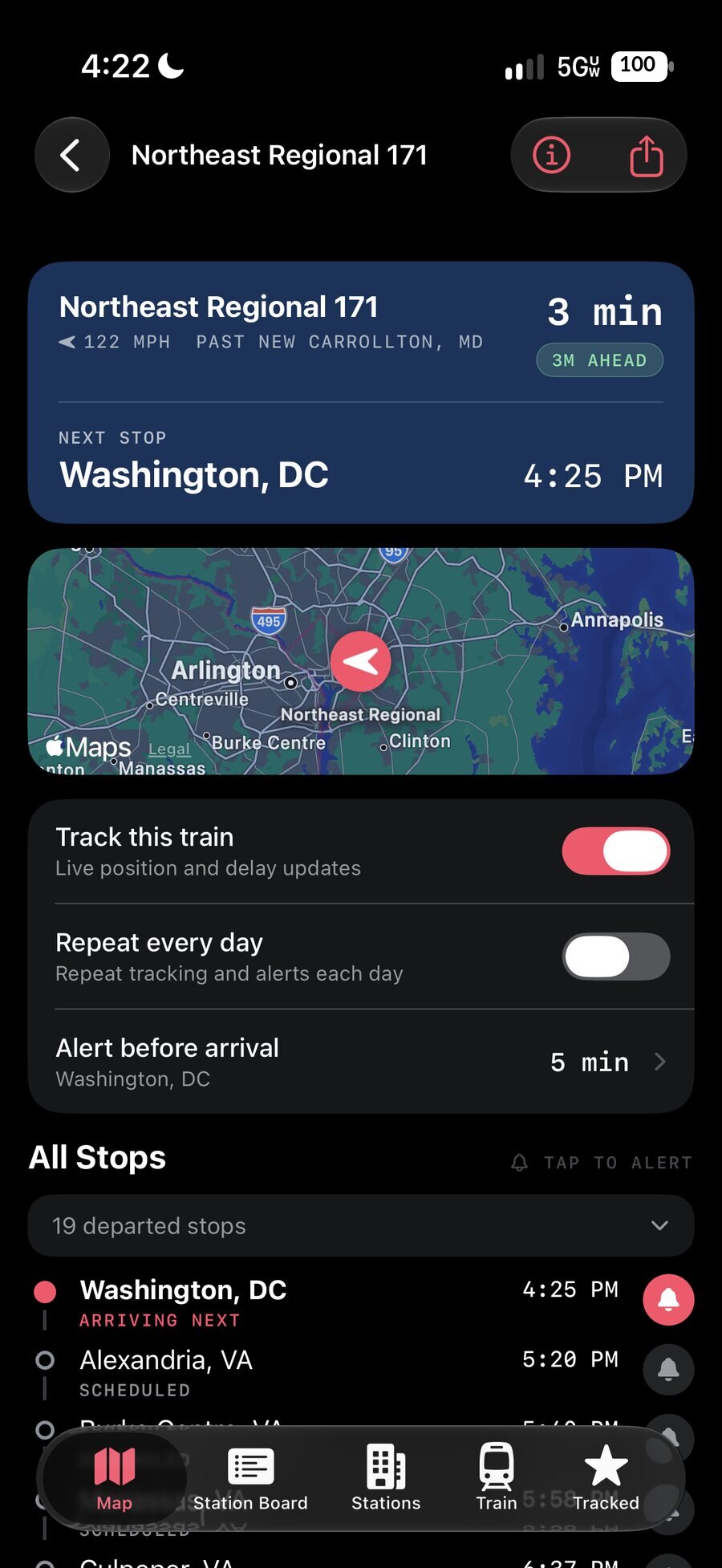
Real-time position, speed, heading and delay status on a live map. A proper departure board for any station in the network — train number, route, scheduled and estimated times, live status. No trial, no time limit, no account.
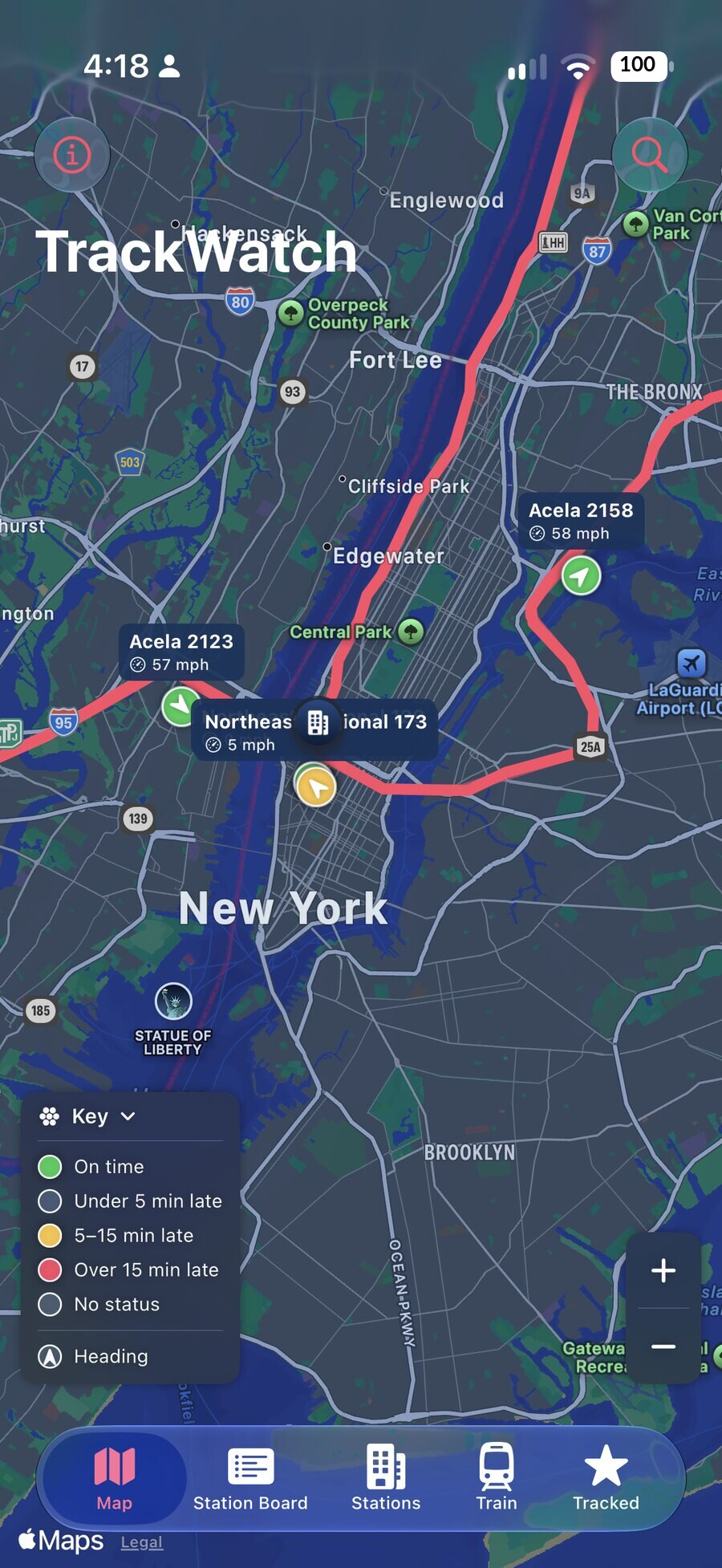
Pick the stop you are getting off at and send a card with your arrival time, how late the train is running, and the train it belongs to. It goes as an image plus a line of text, so it still reads in any app that strips the picture.
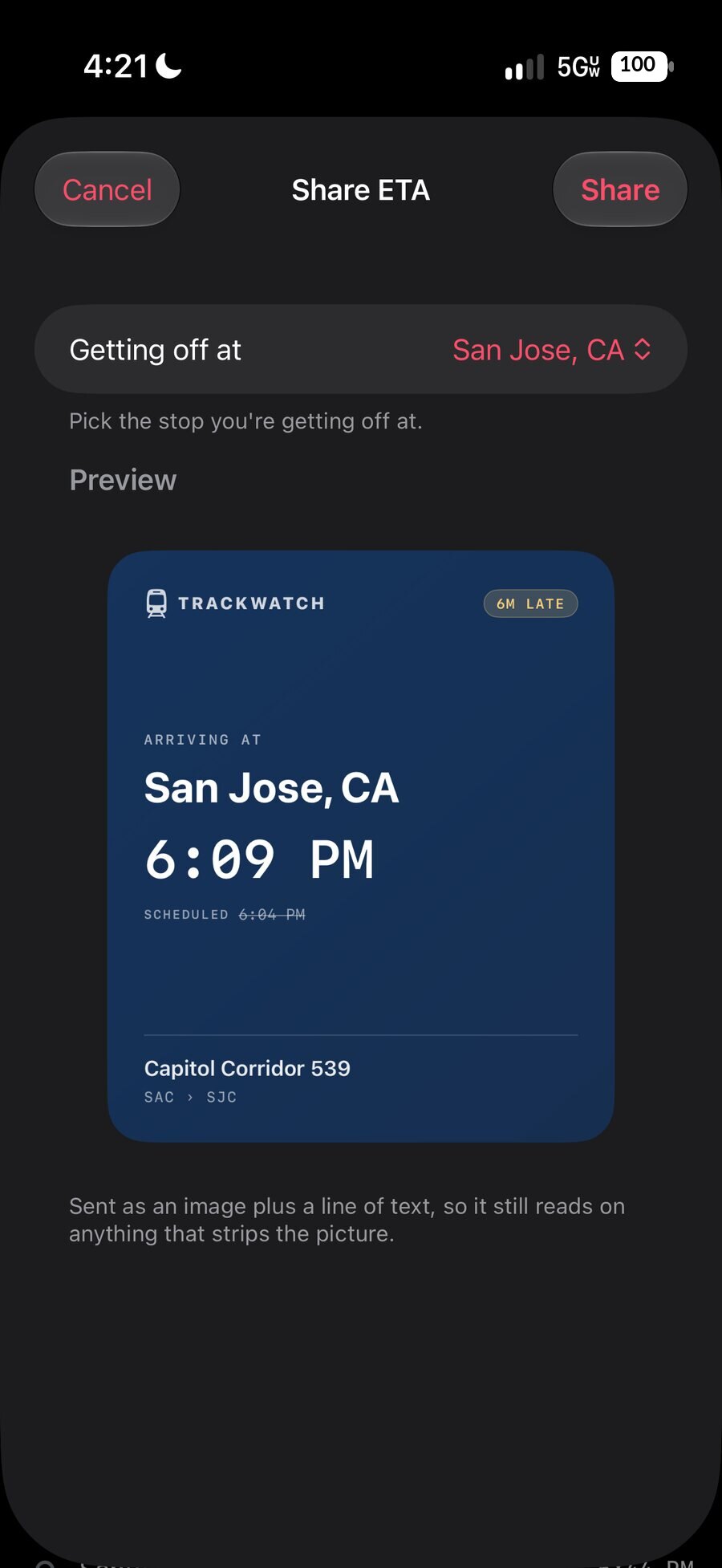
Tap + on the Tracked tab, choose where you are leaving from and where you are going, and pick any train on any future date. When the train is about to leave, TrackWatch starts following it for you and sets your arrival alert at your destination.
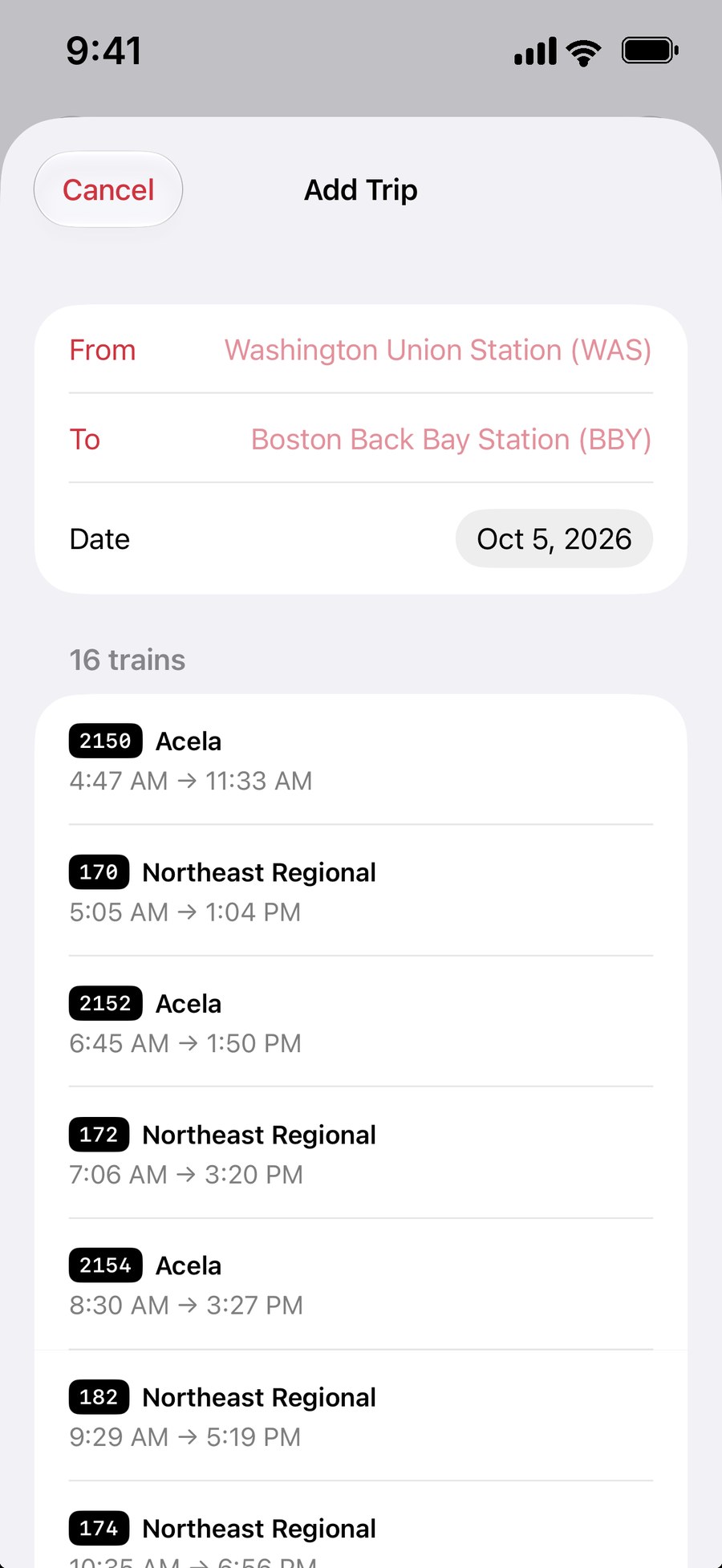
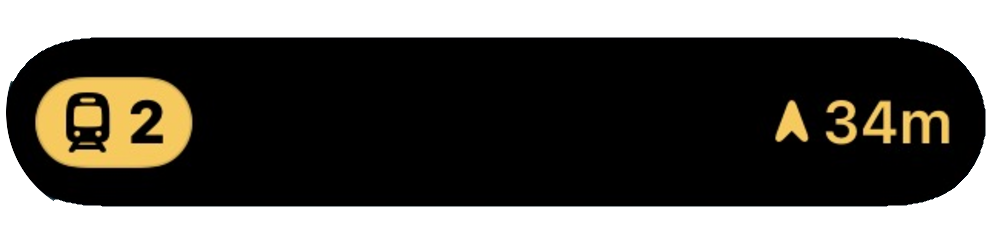
Your trains sit in the Smart Stack: the track in an amber pill, the countdown to your stop beside it. Raise your wrist on a crowded platform and it is there — no digging your phone out of a coat pocket. A track alert taps your wrist on its way through.
Pulled out of the phone frame, at the size you will actually glance at them.
Four trains, each with its route line, arrival and how late it is running — without opening the app.
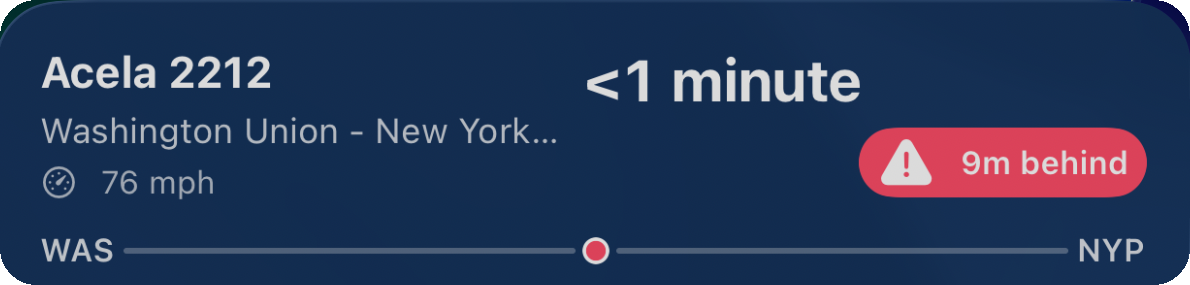
Track, route, countdown and delay status — without unlocking your phone.
Track on the left; direction of travel and your countdown on the right. No swipe needed.
Search by train number, route or station — or plan ahead with Add Trip. No account, nothing to set up.
It appears on your map, Lock Screen, Dynamic Island, widget and Watch straight away.
Pick the stops you want a heads-up for, and how much warning. The track alert comes for free with them.
Riding once? Buy a day. Riding every week? Buy a year, or buy it outright and never think about it again.
$0 — no time limit
No account, no ads, no trial clock.
$1.99 — 24 hours
A one-time purchase that unlocks TrackWatch Plus for 24 hours. It does not renew and there is nothing to cancel.
TrackWatch Plus is an auto-renewing subscription billed through your Apple Account, beginning with a two-week free trial. It renews automatically unless cancelled at least 24 hours before the end of the current period, and can be managed or cancelled in your Apple Account settings. The free trial is available once per Apple Account. The $49.99 lifetime unlock and the $1.99 Day Pass are one-time purchases and do not renew. Terms of Use · Privacy Policy
Nothing to sign up for, nothing to sync. Open the app and start tracking.
No analytics, no advertising identifiers, and nothing sold or shared. The privacy policy spells out exactly what our server does and does not receive.
Location is used only on your device, to sort stations by distance. It is never transmitted anywhere.
TrackWatch is built by TurnCards LLC and is not affiliated with or endorsed by Amtrak.
Amtrak’s public feed was checked across 2,679 stops: sixteen fields, not one of them a track.
Because the data isn’t in the feed. Amtrak’s public data carries no track information at all, and every other tracker reads that same feed. They can’t show you a track — not because they’re worse apps, but because there is nothing there to show.
TrackWatch runs its own service. It reads Amtrak’s live data directly and adds track and platform assignments gathered from the departure boards that host railroads actually publish — the same boards hanging in the concourse.
No third-party feed sits in the middle. As your train approaches a covered station without a track yet, those boards get re-read every sixty seconds, because at New York Penn a track goes up about ten minutes before boarding and a slower check would miss it.
The moment a track appears, it is on your phone — over Apple’s push service, not a background refresh that iOS may never grant.
Download TrackWatch, follow your first train in under a minute, and let your phone tell you where to stand.
Download on the App Store